

Create a new Form2SMS
-
Sign into your Form2SMS account.
-
On your dashboard, add a new form with the New button.
-
Enter your form details. For the Source Location Type, select Squarespace. Be sure to add your phone numbers and email addresses in the Contact Details section. When ready, click Confirm.
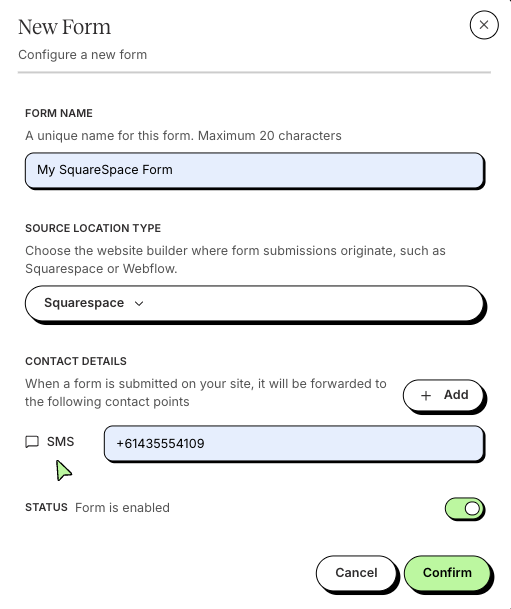
-
On your dashboard, click on your new unique email address for your form. Copy this for the next part.
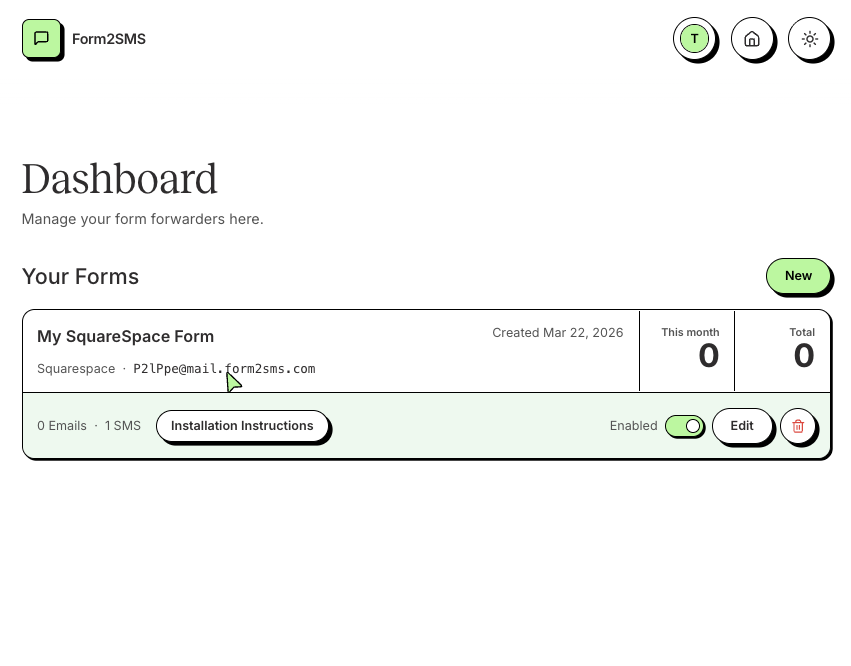
Add to Squarespace
-
Sign in to your Squarespace account.
-
Select your website, navigate to the page containing your form, and enter Edit mode.
-
Select your form block and navigate to the Storage tab.
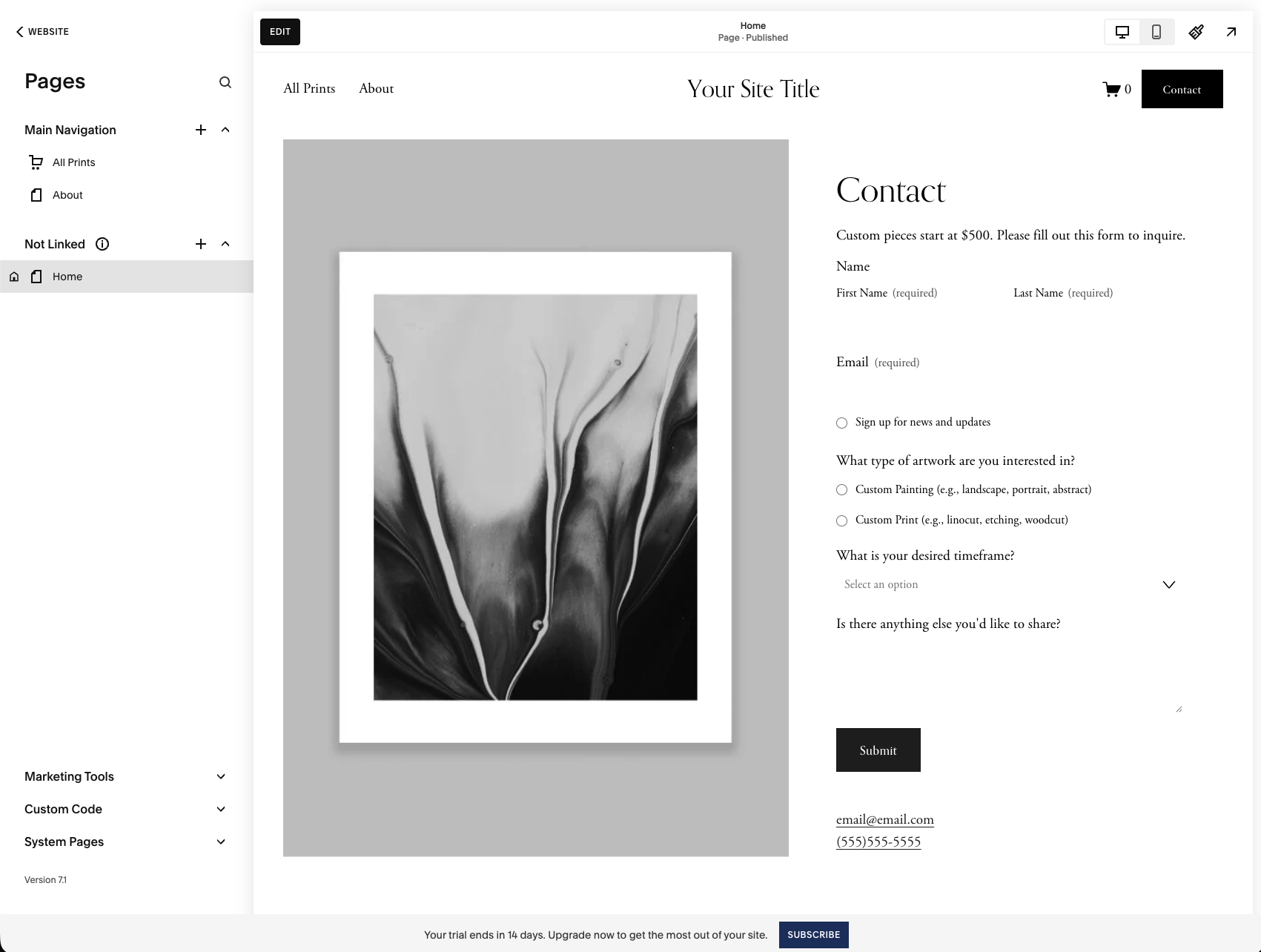
-
Under Email Notifications, add your Form2SMS email as the recipient.
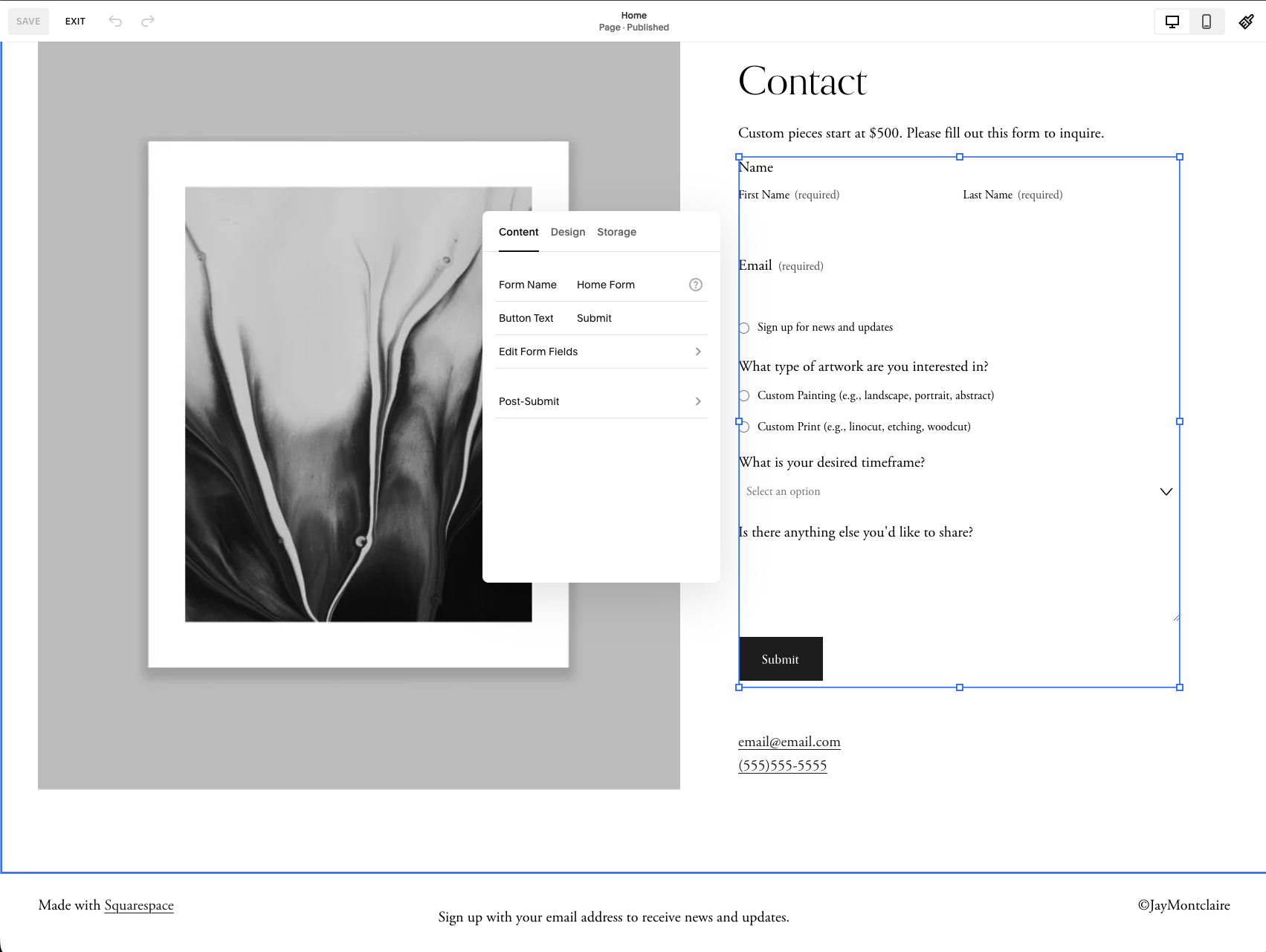
-
Save and Exit for your changes to take effect.
Test!
With your Squarespace website published, test the changes by navigating to your website and submitting a form. You should receive an SMS on submission. In the Form2SMS Dashboard, you can see how many submissions you have received.
Hot tip: View your form's Events page to see each submission and the destinations they were delivered to!